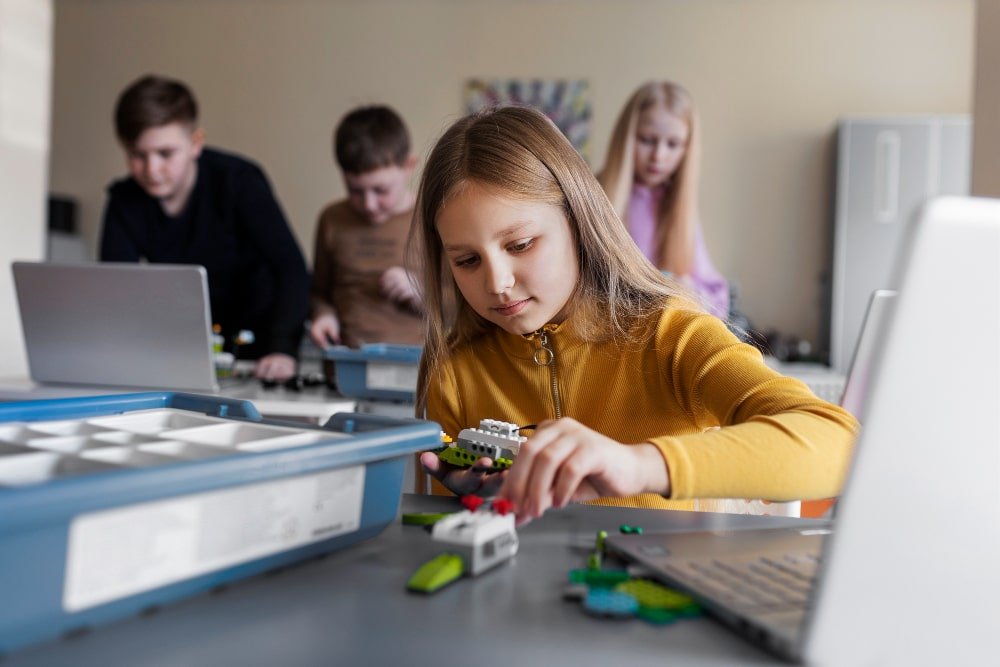
The modern classroom is rapidly evolving, and Minecraft Education Edition is leading the way in digital, hands-on learning. Designed specifically for schools, it transforms traditional lessons into immersive, creative, and collaborative experiences. From STEM to storytelling and coding, Minecraft Education supports students of all learning styles.
1. Introduction to Minecraft Education Edition
Minecraft Education is an educational version of Minecraft used by teachers and students worldwide. It provides safe digital environments where learners can explore concepts visually, solve problems, and build projects while staying engaged.
2. What Is Minecraft Education Used For?
Minecraft Education is used for:
Teaching STEM and coding
Enhancing creativity
Virtual experiments and simulations
History and geography discovery
Environmental learning
Group projects and teamwork
Its flexibility makes it ideal for all grade levels.
3. Key Features of Minecraft Education Edition
Immersive 3D game-based environments
Teacher dashboard and world controls
Chem Lab and STEM tools
Built-in coding with MakeCode & Python
Classroom-friendly multiplayer
Ready-to-use lesson plans
Accessibility tools like Immersive Reader
4. Benefits of Using Minecraft in the Classroom
Makes learning fun and interactive
Boosts student focus and motivation
Encourages critical thinking
Supports project-based learning
Develops problem-solving skills
Improves collaboration and communication
Suits visual and kinesthetic learners
5. How Minecraft Supports STEM Learning
Minecraft Education integrates STEM through:
Chemistry experiments using molecule builders
Engineering challenges
Redstone circuits for physics & logic
Maths-based building tasks
Renewable energy simulations
Students learn concepts by experimenting instead of memorizing.
6. Enhancing Creativity and Problem-Solving Skill
Minecraft’s open-world structure pushes students to:
Design buildings
Invent machines
Create solutions to challenges
Think critically during missions
Practice logical planning
These activities strengthen both creativity and reasoning.
7. Collaboration and Teamwork in Minecraft Education
Multiplayer mode allows students to:
Work on shared projects
Build environments together
Coordinate tasks
Learn leadership skills
Communicate effectively
Teachers can assign group missions to improve teamwork.
8. Coding and Computer Science with Minecraft
Minecraft Education includes coding tools such as:
MakeCode (block-based coding for beginners)
Python (professional coding language)
AI-based activities
Programming mobs, objects & commands
Students gain real coding experience in a fun way.
9. How Teachers Can Use Minecraft Education in Lessons
Teachers can integrate Minecraft by:
Using downloadable lesson worlds
Creating custom virtual labs
Giving creative assignments
Demonstrating complex visual concepts
Encouraging design-based learning projects
Hosting safe multiplayer sessions
10. Minecraft Education Classroom Management Tools
Teachers maintain control with:
Student freeze option
World editing permissions
Chat monitoring
Assessment screenshots
NPCs & in-game instructions
These tools make classroom management smooth and safe.
11. Popular Subjects Taught with Minecraft
Math – geometry, measurement, logic
Science – chemistry, biology, physics
History – ancient civilizations, timelines
Geography – ecosystems, landmarks
Language Arts – storytelling, writing
Computer Science – coding, algorithms
12. Real-World Applications and Learning Outcomes
Students gain future-ready skills including:
Creativity & innovation
Digital literacy
Team collaboration
Problem-solving skills
Programming knowledge
Project management
Spatial awareness
13. Requirements and System Compatibility
Minecraft Education is compatible with:
Windows laptops
Mac devices
iPads
Android tablets
Chromebooks
Requires a school Microsoft 365 account.
14. Getting Started: Step-by-Step Guide for Teachers & Students
Download Minecraft Education
Sign in with school credentials
Select a subject or lesson world
Host or join a multiplayer session
Assign tasks
Monitor and assess student progress
15. Challenges and Limitations of Minecraft Education
Requires compatible devices
Internet connection needed for full use
New teachers may need training
Students may get distracted without rules
Proper planning removes most obstacles.
16. Tips for Effective Implementation
Start with small lessons
Use pre-built worlds
Set clear rules and goals
Assign group roles
Connect lessons to real-life examples
Use screenshots for assessment
17. Future of Game-Based Learning with Minecraft
Minecraft continues to shape the future through:
AI-powered learning tools
Advanced coding challenges
More STEM simulation packs
Global student collaboration projects
Game-based learning will play a major role in modern classrooms.
18. Conclusion
Minecraft Education is more than a game—it’s a powerful learning tool that builds creativity, teamwork, coding skills, and deep subject understanding. Its interactive, visual approach helps students learn faster and with more excitement.
Frequently Asked Questions (FAQs)
1. What is Minecraft Education used for?
It is used to teach STEM, coding, creativity, communication, and academic subjects in a fun and interactive way.
2. Is Minecraft Education safe for kids?
Yes. It includes safe multiplayer mode, educator controls, and secure content.
3. Can you play Minecraft Education without a school account?
A Microsoft 365 school account is required for full access, though a trial version is available.
4. Does Minecraft Education help with coding?
Yes, it includes MakeCode and Python for real programming practice.
5. Can Minecraft Education be used for all age groups?
Yes. It is suitable for elementary to high school students.
6. Is Minecraft Education online or offline?
It can be played offline, but multiplayer and some features require internet.